
Jump to the following sections:
-
Scoring in Metolius - The Three Components
-
Metolius Scoring Logic
What is Survey Scoring?
Scoring is a systematic approach used to quantify the responses of survey participants, enabling analysis of the data gathered from their answers. The scoring method can differ based on the survey type and its objectives. Generally, scoring entails assigning numerical values to the participants' responses, which can then be examined to uncover trends and patterns within the data.
For instance, in a Likert scale survey, participants might be asked to express their level of agreement with various statements using a scale from 1 to 5, where 1 signifies "strongly disagree" and 5 indicates "strongly agree." These scores are then compiled and analyzed to assess the overall agreement or disagreement regarding the statements presented.
In a similar vein, a Net Promoter Score (NPS) survey asks participants to indicate how likely they are to recommend a product or service to others on a scale of 0 to 10, with 0 representing "not at all likely to recommend" and 10 representing "extremely likely to recommend". The resulting scores are utilized to compute an overall NPS score, which serves as an indicator of customer loyalty and satisfaction.
Why is Scoring Important?
Scoring a survey is important because it establishes a systematic and objective framework for gathering and analyzing responses, empowering organizations to make informed, data-driven decisions based on insights from their customers or employees. By assigning numerical values or ratings to each response, organizations can easily identify trends and patterns in the data, enabling them to take actionable steps based on the feedback received.
Scoring also allows organizations to compare responses across different questions and different groups of participants, providing insights into areas of strength and weakness. For example, if a company conducts a customer satisfaction survey and finds that customers consistently rate their customer service experience low, they can focus on improving their customer service training and processes to address the issue.Moreover, scoring also helps in making a comparison with benchmarks set by other organizations, industry standards, or results from a survey done previously within an organization. This comparison can provide valuable insights into how an organization is performing relative to its competitors, the industry as a whole, or its past, allowing it to identify areas where it needs to improve.
Overall, scoring a survey is an important step in the survey process as it provides a standardized and objective way to collect and analyze data, allowing organizations to make data-driven decisions and take action based on the feedback they receive.
How Metolius Makes Scoring Easy
Metolius makes scoring easy by doing the math for you! Once a response score range has been selected and the question responses have been assigned numerical values, results are immediately available after a participant has submitted their responses.
See this article on how to set up a survey for scoring.
The Three Components of Scoring in Metolius
1) Response Score Range
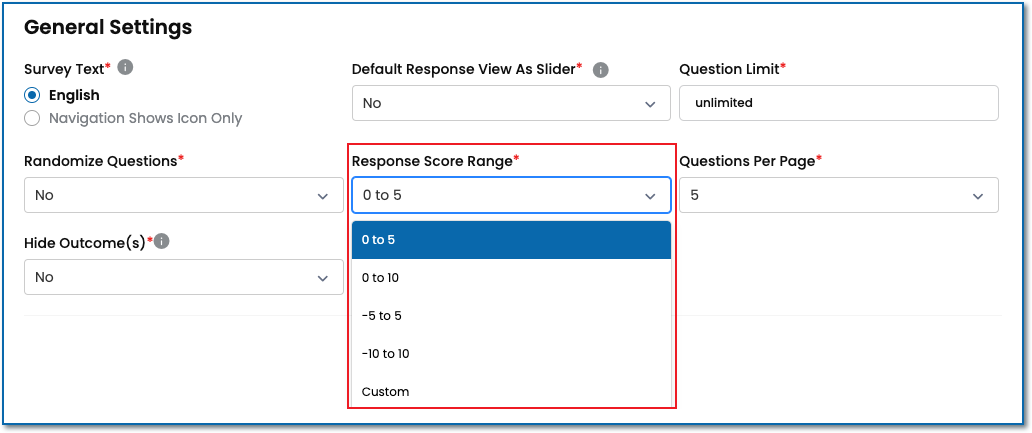
Figure 1
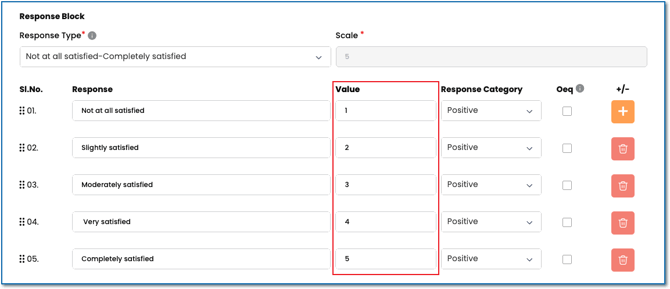
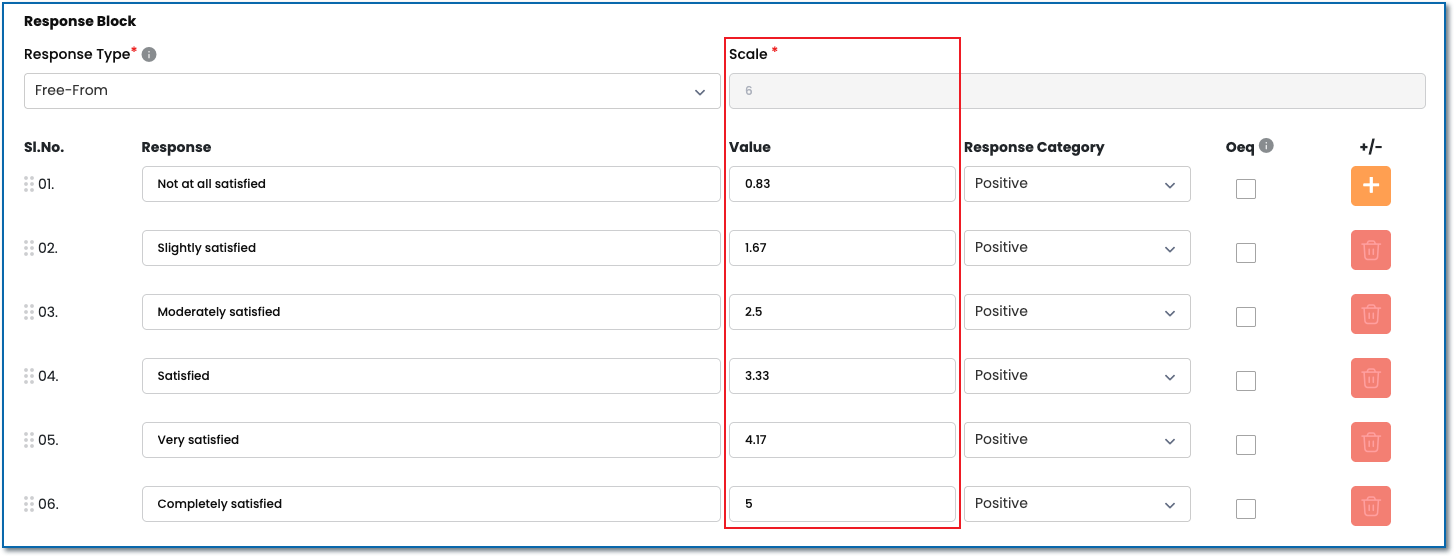
2) Response Value
3) Response Category
Positive - Choosing a positive response value adds the assigned value to the total score; Effectively increasing the overall value.
Neutral - Choosing a neutral response value excludes the value from the score and the overall value is not affected.
Negative - Choosing a negative response value subtracts the assigned value from the total score; Effectively reducing the overall value. Note that this is an advanced feature and most surveys do not need a negative.
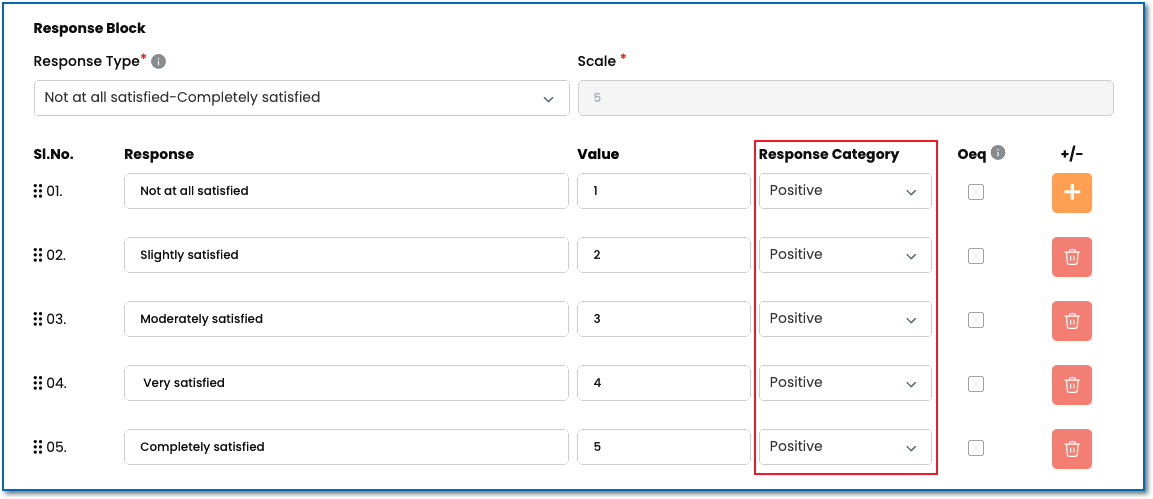 Figure 4